
MHUR Skill Cards: Level Up Skills and Share Team Loot
Learn how MHUR skill cards and Level Up Cards work, read role colors and alpha, beta or gamma labels, and share useful upgrades with teammates.
FAQ
Why did a colored card not upgrade my skill?
Can I choose which skill a Level Up Card improves?
Should I keep every card from another role?
Is this the same as T.U.N.I.N.G or account XP?
Which card should you pick up?
Two items can look like the same upgrade opportunity but ask you to make different decisions. A colored Quirk Skill Card has a role and an alpha, beta or gamma label. A Level Up Card gives you a choice. Read those details before emptying the area into your bag.
This is the next step after the beginner team-play guide. It covers looting decisions during a match. It does not prescribe a fixed first-to-max skill: check the equipped Battle Style and the skill you need for the situation.
Video sources and what the footage shows
Screenshots below are from EmiTV’s Level Card + Role Guide (August 20, 2024) and Globku’s Things My Hero Ultra Rumble Doesn’t Teach You (October 23, 2023). Yestermorn’s beginner tips also explains collecting and dropping cards for teammates. Each illustrated step links to its exact source time.
The footage illustrates the card interface and is older than Season 19. We checked the basic distinction against Bandai Namco’s official item guide and the community gameplay reference. Follow current item descriptions and your platform’s control hints when the interface differs.
How to sort cards during a match
-
Read the role color and Greek letter
Match the colored card to your role, then read alpha, beta or gamma. A compatible card upgrades the corresponding skill when Auto Level Up is on. In the example, the red alpha card is being collected by a Strike character; the upgrade notice identifies alpha.
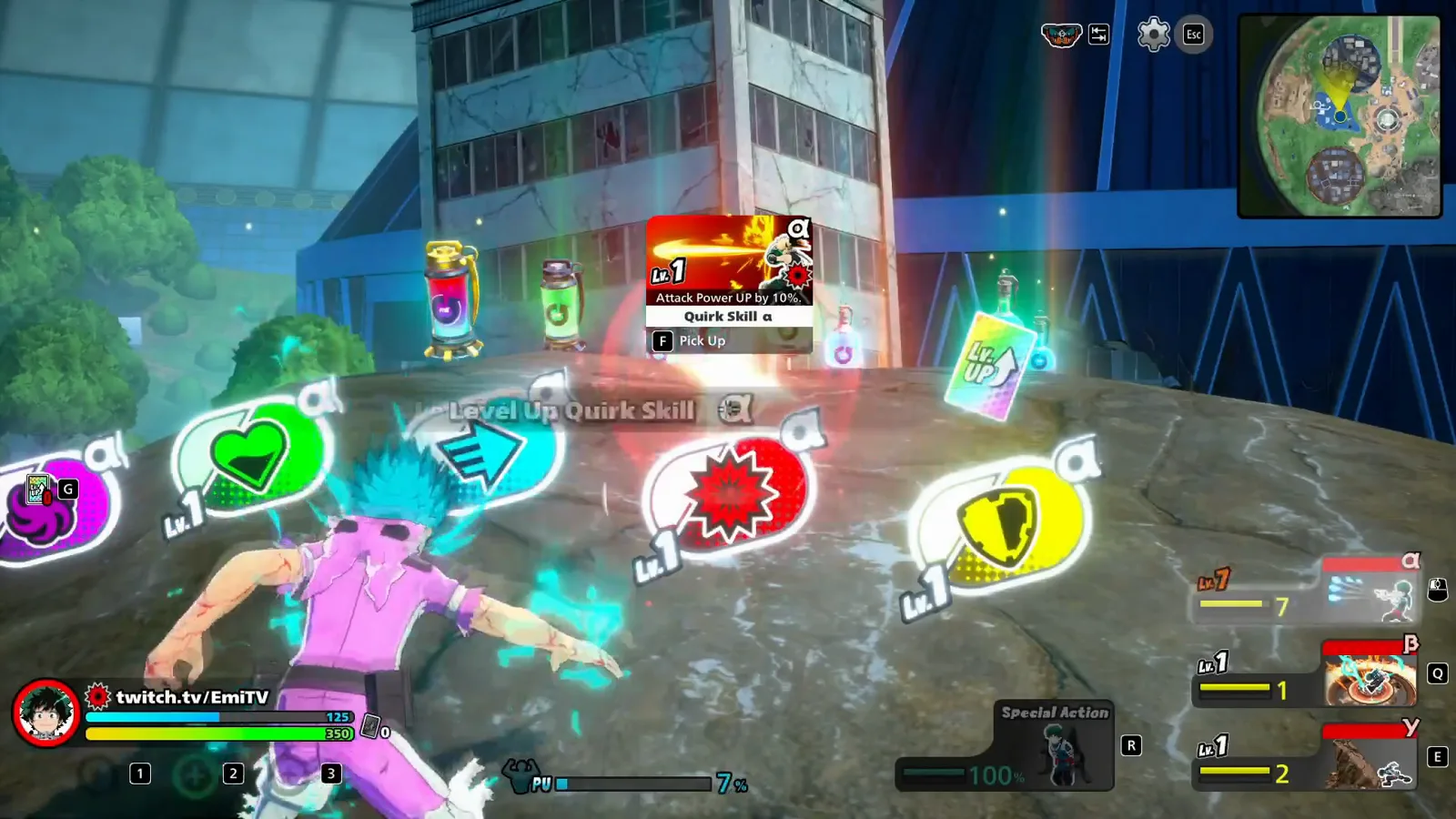
The red alpha card and the on-screen upgrade notice show which skill is being raised. Watch this step at 1: 03 -
Check the Level Up Card in the Item Bag
A Level Up Card is the flexible option: use the current level-up prompt or open the Item Bag and choose the skill to improve. The pictured bag puts these cards beside the three skill panels. All three skills are already level nine in this older clip; this is a view of the interface, not a recommended upgrade order.
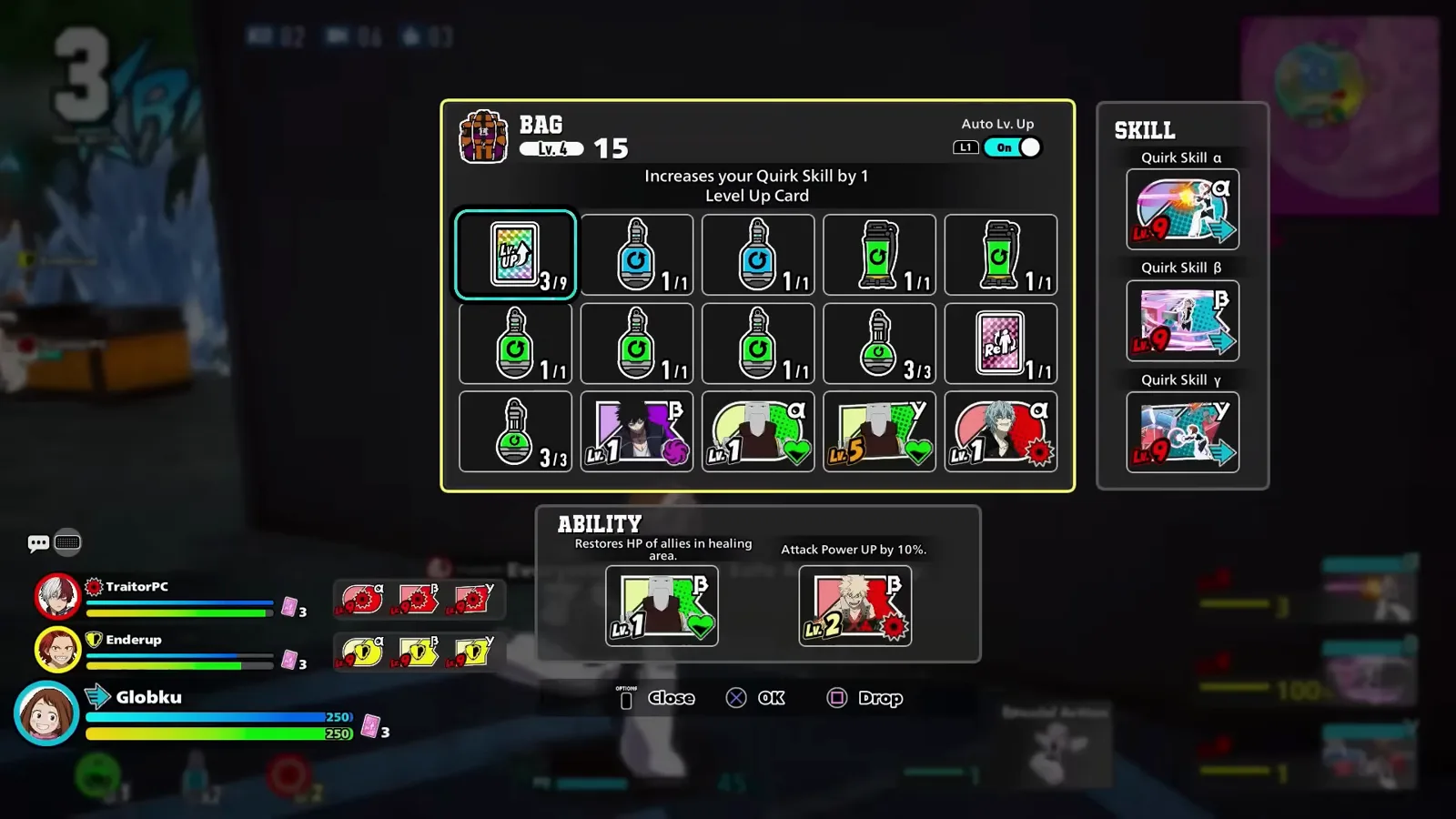
The highlighted rainbow Level Up Card is a different item from the colored role cards below it. Watch this step at 3: 51 -
Equip an off-role card for its temporary effect
A card from another role can be kept as an ability item instead of upgrading your Quirk. Put it in an ability slot and activate it with the displayed control when needed. The example shows purple and yellow cards in the two slots. Read the current card description; merely carrying it does not turn the effect on.
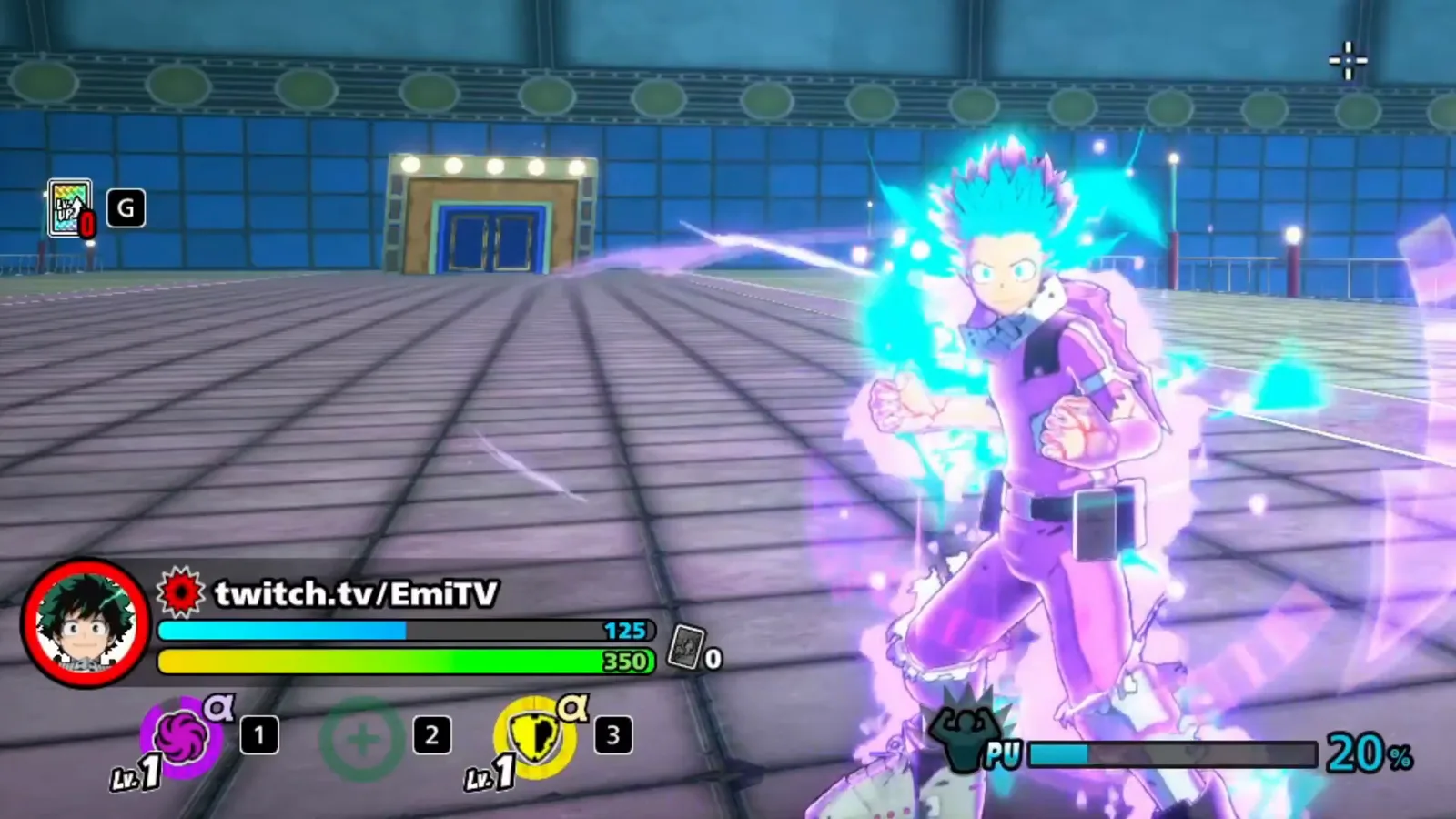
Purple and yellow cards occupy the ability slots during the ability-card demonstration. Watch this step at 1: 13
How do you share cards with teammates?
Before taking an off-role card for yourself, compare its color with your teammates’ roles. If an ally needs it, mark its location so they can collect it. If you already picked it up, regroup, open the Item Bag and use the displayed drop action so they can collect it. Tell them which card you left; a pile of loot is easy to miss.
Decide while you have cover. Opening the bag in an exposed position to sort one more card can separate you from the team. Recovery resources also need space: the teammate revival guide explains what to prepare before a teammate is fully defeated.
Choose an upgrade for the equipped kit
A familiar character name does not guarantee a familiar skill set. Use the Deku Battle Style comparison before copying another player’s upgrade order. For Technical Rising, the practice checklist helps you compare movement and attack behavior without assuming one route fits every fight.
After assigning an upgrade, close the bag and check your spacing. The dodge-roll guide covers a separate defensive action; it does not become automatic just because you raised a skill level.
Reviewed October 15, 2026. This guide interprets published footage and documentation; it does not claim new playtest results.
Related Articles
Guides
MHUR Dodge Roll Guide: Timing and Direction Practice
Practice dodge rolls in My Hero Ultra Rumble with illustrated attack cues, direction comparisons and a repeatable drill you can recheck after patches.
Guides
How to Revive Teammates in MHUR: Cards, Badges and Safety
Learn how to revive teammates in My Hero Ultra Rumble: recover badges, collect revival cards, find civilian supplies and avoid outdated skill-reset advice.
Characters
Rising Deku Guide: OFA Skills, Combos and Counters in MHUR
Learn the Technical Rising Deku Battle Style in MHUR: Blackchain, Manchester Smash, Rising, Fa Jin, and practical combo and counter decisions.
Was this helpful?
Thanks for the feedback!