
How to Revive Teammates in MHUR: Cards, Badges and Safety
Learn how to revive teammates in My Hero Ultra Rumble: recover badges, collect revival cards, find civilian supplies and avoid outdated skill-reset advice.
FAQ
How many revival cards do I need?
Where can I find revival cards?
Is reviving a downed teammate the same as using a Revival Card?
Do Quirk skill levels reset after revival?
What do you need before reviving a teammate?
Recover the eliminated teammate’s badge and obtain a complete Revival Card. Three incomplete gray cards combine into a complete card. Keep the badge and the card requirement separate: finding cards does not replace collecting the ally’s badge.
First check whether your teammate is downed or fully eliminated. This page covers the badge-and-card route after elimination. The broader beginner guide explains the team loop; a character’s own downed-ally rescue action is a separate interaction.
Which video does this guide use?
Screenshots and the resource-search demonstration come from Globku, Things My Hero Ultra Rumble Doesn’t Teach You, published October 23, 2023. The relevant explanation is at 1:20–2:15. The instructions below are an original walkthrough of those examples, cross-checked against official materials.
These are historical screenshots, not Season 19 playtesting. They demonstrate civilian loot, destructible buildings and the revival effect. Their skill levels, maps and interface must not override later patch notes. In particular, official patch 1.10.0 says revived players retain their Quirk skill levels.
How do you find supplies and use the card?
-
Look for civilian supplies
Interact with a civilian when you can safely stop. Globku recommends civilian rescues when the team needs revival resources; the frame shows Ochaco beside the civilian and the resulting ground loot. Read each item label: not every card on the ground is a revival card.
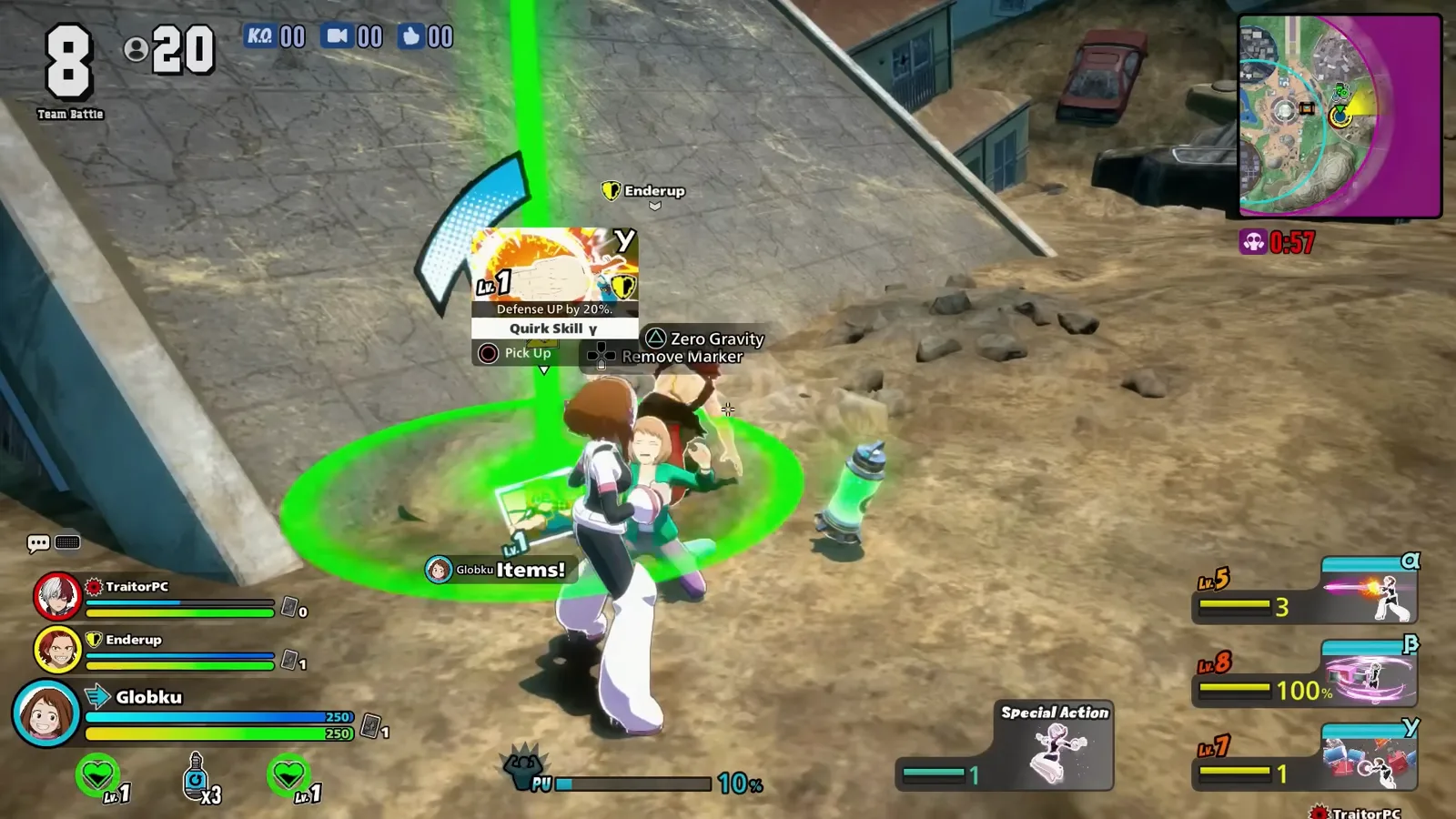
Civilian interactions are a resource-search option; inspect what actually drops. Watch this step at 1: 32 -
Consider destructible buildings if civilians are scarce
The video shows Mount Lady breaking a building while explaining that civilians can emerge from destroyed structures. This is an optional search route when you cannot find civilians nearby. It is loud and exposes your position, so weigh that risk against reaching safer loot.
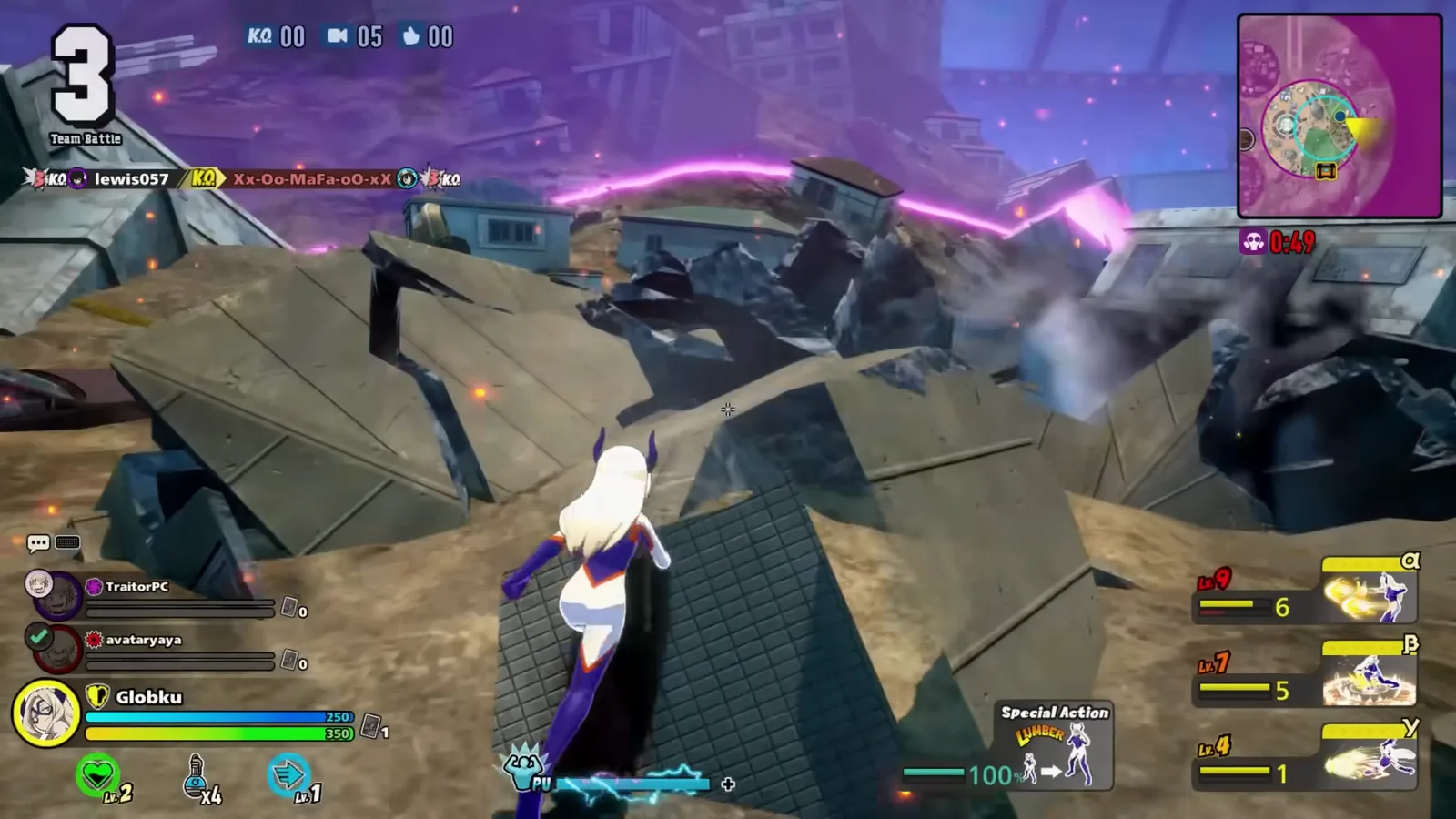
The building has collapsed; this method trades noise and exposure for another chance to find civilians. Watch this step at 1: 46 -
Check the badge and card, then revive in cover
Confirm you recovered the eliminated ally’s badge and have a complete Revival Card. Use the card with the current platform’s item controls after checking nearby threats. The pink effect shows the revival in progress. Stay ready to regroup once the ally returns; the old footage’s level-one skills do not describe the later level-retention rule.
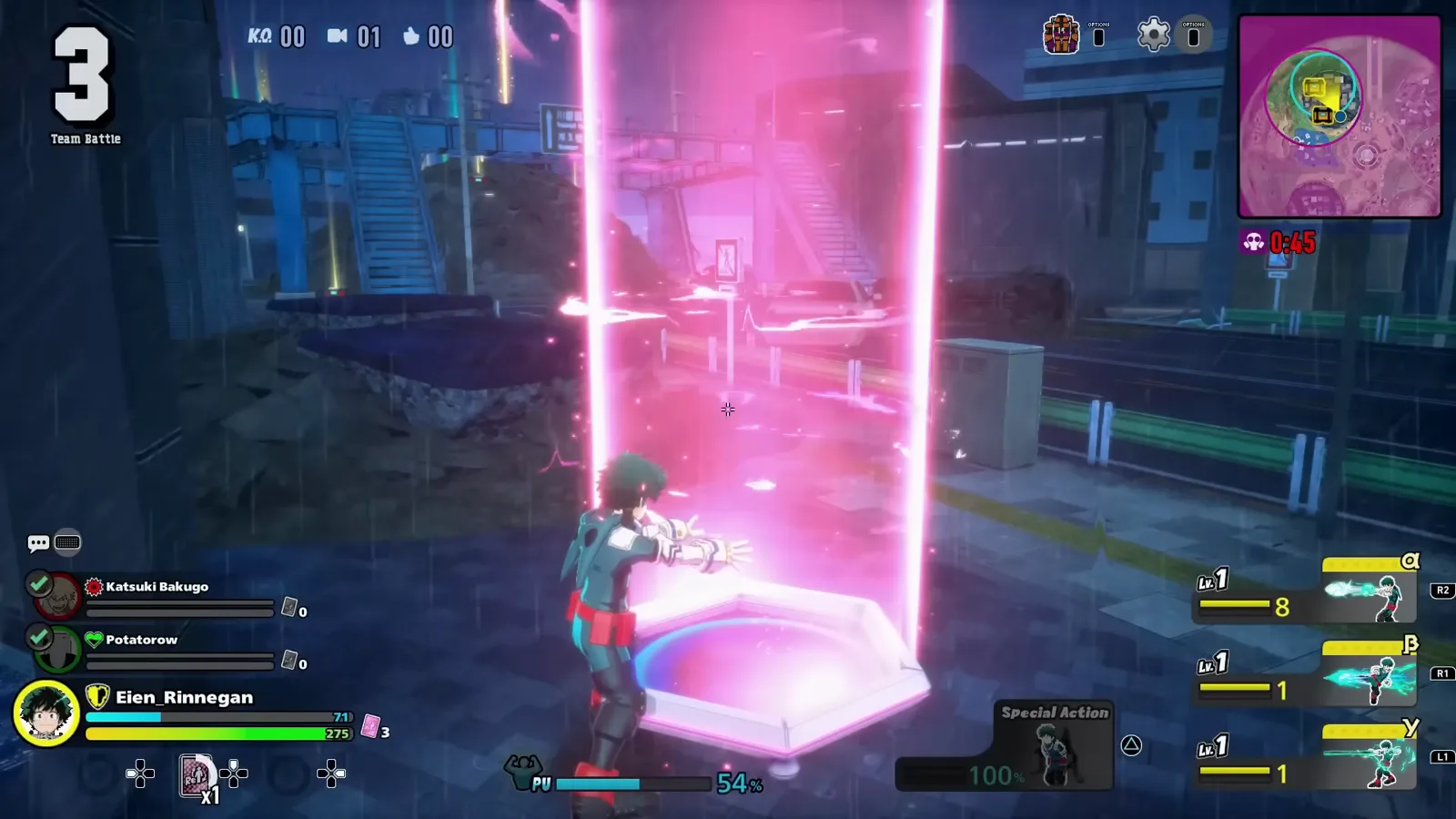
A historical example of the card revival animation; official materials warn that the user is vulnerable during the action. Watch this step at 2: 14
Why might the revival attempt fail?
Before blaming the controls, check the two requirements again: the correct teammate badge and a complete card. A gray card alone is incomplete. Also check that the teammate is fully defeated rather than merely downed. Read the current item prompt instead of copying a controller button from an old recording.
If opponents are nearby, starting the interaction can turn one elimination into a team wipe. The dodge-roll guide covers practicing defensive movement, while the skill-card guide helps distinguish revival resources from cards used for upgrades or temporary effects.
What happens to skill levels after revival?
The official 1.10.0 patch notes explicitly state: “You now retain all Quirk Skill Levels upon revival.” Do not rebuild your plan around an outdated assumption that every revived ally starts again at level one. Check health, items and the next position together, and use the Rising practice guide if you need to regain control of that kit before rejoining a fight.
Sources and version limits
- Globku, October 23, 2023: the linked video supplies the civilian, building and revival examples. Each image links to its exact source moment. No guaranteed drop rate or current-season timing is inferred from it.
- Bandai Namco’s official gameplay guide, June 1, 2023: badge and card requirements, item sources and vulnerability during revival. Its beta-era one-revival limit is not used as a current rule here.
- Official patch 1.10.0: later skill-level retention takes priority over old footage.
- UltraRumble’s community gameplay guide: three incomplete cards combine into a full card; this detail is attributed to community documentation.
Reviewed October 15, 2026. Check the selected mode’s current item description and your platform’s controls.
Related Articles
Guides
MHUR Dodge Roll Guide: Timing and Direction Practice
Practice dodge rolls in My Hero Ultra Rumble with illustrated attack cues, direction comparisons and a repeatable drill you can recheck after patches.
Guides
MHUR Skill Cards: Level Up Skills and Share Team Loot
Learn how MHUR skill cards and Level Up Cards work, read role colors and alpha, beta or gamma labels, and share useful upgrades with teammates.
Guides
MHUR Beginner Guide: Team Play, Skill Cards and Revival
Learn My Hero Ultra Rumble match basics: three-player teams, skill-card upgrades, civilian interactions, revival resources and safe first drills.
Was this helpful?
Thanks for the feedback!